Warcraft II: Tides of Darkness
DOS - 1995
Also released on: Mac

| Alt names | War2, WarCraft 2, WarCraft II: Blood Seas, WarCraft II: Ondas de Terror, 魔兽争霸II:黑潮 |
|---|---|
| Year | 1995 |
| Platform | DOS |
| Released in | France, Germany, United Kingdom, United States (1995) France, United States (1996) Worldwide (1998) Czechia (1999) |
| Genre | Strategy |
| Theme | Editor / Construction Set, Fantasy, RTS, Real-Time, Steampunk, War |
| Publisher | Blizzard Entertainment Inc. |
| Developer | Blizzard Entertainment Inc. |
| Perspectives | Top-Down, Free-roaming camera |
| Dosbox support | Fully supported on current version |
Download extras files
Manual, patch, misc, mod and demo available
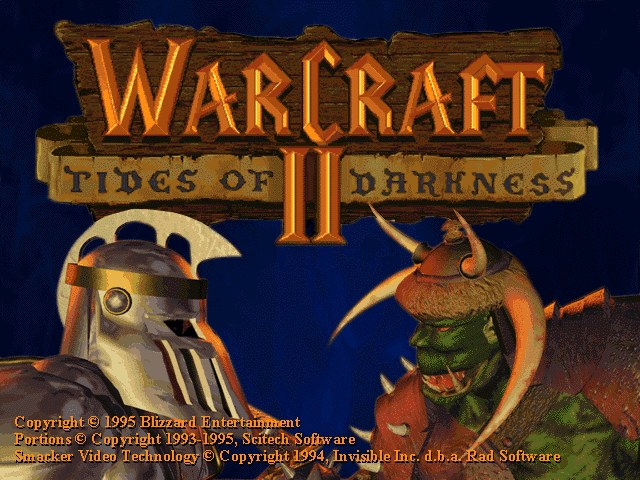
Description of Warcraft II: Tides of Darkness
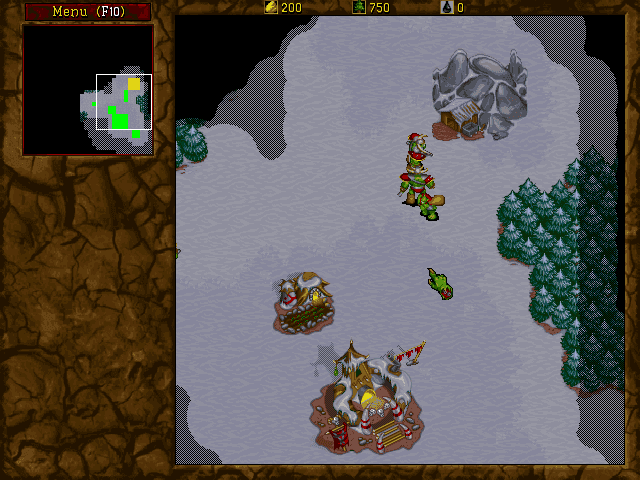
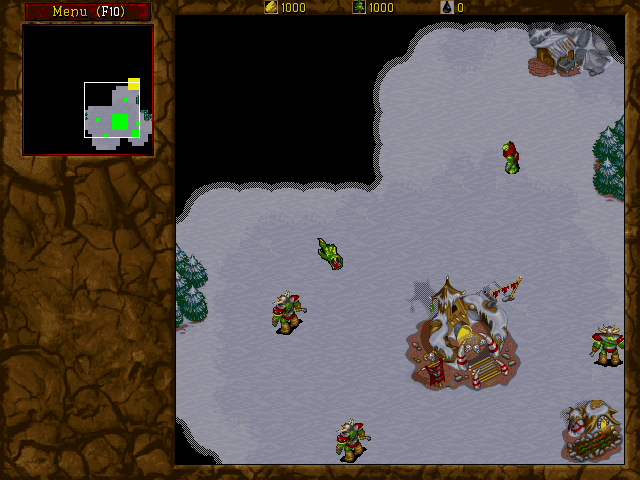
Following the success of Warcraft: Orcs and Humans, Blizzard Entertainment released the second game of the series in 1996. Once again the game was set in the kingdom of Azeroth with a single player game revolving around commanding either a force of orcs or humans through a multi-mission campaign.
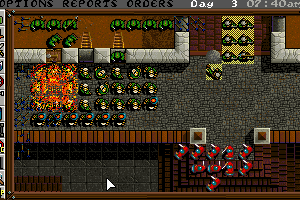
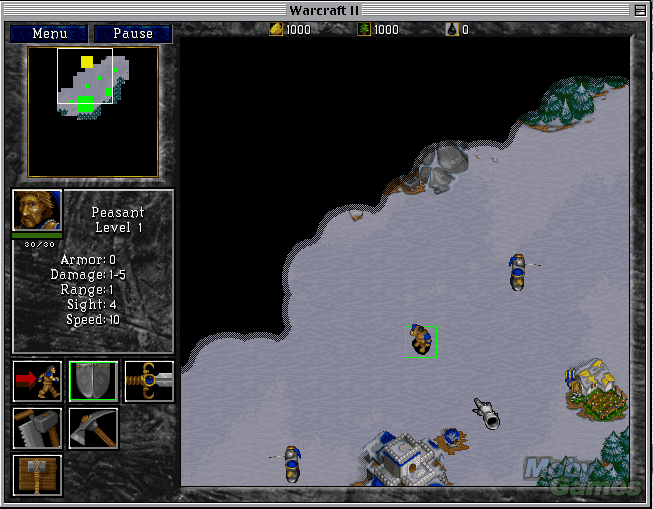
At the time of Warcraft II’s release Blizzard Entertainment were in direct competition with Westwood and their Command & Conquer franchise. As a result the game features a host of new and improved features when compared to its predecessor. The graphics have been overhauled and now feature higher resolution artwork, rendered in SVGA, and along with this the sound has been enhanced. In response to Command & Conquer there are new units, both naval and air, as well as resources and buildings to support them. While the base building and resource harvesting game mechanics remain essentially the same, the AI has also been slightly improved. Units are now quicker to respond and have options to allow them to patrol and carry out tasks independently without continual player interaction.
These changes were enough to ensure that Warcraft II dominated gaming awards in 1996 and catapulted Blizzard Entertainment into the ranks of the elite developers of the time. Their success and that of Westwood in the late 1990s had a huge impact on the real-time-strategy genre and without a doubt shaped the games of today.
Review By Richard
Online Play
If you want to play online, we recommend you check out http://server.war2.ru/.
Warcraft II: Tides of Darkness has the following addons available: Warcraft II: Beyond the Dark Portal, 3D Nightmares, Aztech's Armory: Campaigns for WarCraft II and More War: The Return of the Horde, don't miss them!
External links
 PCGamingWiki
 Mod DB
 Wikipedia Entry
 WSGF
WSGF MobyGames





Comments and reviews
Blizzard_boy 2024-12-28 2 points DOS version
It says the game is available on GOG but I can't find it, does anyone know where it can still be downloaded?
Prof 2024-05-25 0 point DOS version
Это было замечательное время когда игра была установлена на Win98 с диска и перед игрой мы всегда смотрели ролики а потом сражались по сети. Я даже сейчас помню все до мельчайших подробностей. А было это 29 лет назад...
The Boz 2023-01-20 0 point DOS version
I wasn't a fan of the first game, but boy I really enjoyed Warcraft 2. If not the best, definitely one of the best RTS of the 90s.
War2combat 2020-03-25 3 points DOS version
Come play on the free server server.war2.ru. There is still an active community checkout the site and stay safe indoors
lol 2019-10-13 2 points DOS version
thanks for removing the DOS version..
GOG doesn't sell the dos version, and now all the mods here don't work and theres nowhere to get the dos version anymore..
xCBM 2019-04-06 0 point DOS version
both games work fine but there is no control groups and a+move doesnt work aswell
Burp 2019-04-06 -1 point
Cuz GOG is assholes, basically they took BNE and classic War2 and merged the two together. The enhancement if you can even call it that comes War2 not BNE. But since the game files is packed with Blizzard compression. It appears as a single game which is controlled via a GOG constructed launcher. under all teh crud Warcraft 2 is packaged like Diablo just in compressed
stefanw1337 2019-03-11 1 point
Rumors are that GOG is working on getting this to GOG. So might not be abandonware for so much longer.
JC9 2019-03-10 1 point
"At the time of Warcraft II’s release Blizzard Entertainment were in direct competition with Westwood and their Command & Conquer franchise."
I've never really thought about that. In the end, though, we all won.
mell00yell00 2019-03-01 2 points DOS version
followed khans instructions below and the RIP file ran perfectly. Now take that same text and follow these instructions they provide in the "dosbox cd tutorial" (heres the link) http://www.abandonia.com/vbullet/showthread.php?p=445456
one you do this you will not have to enter this text to bipass the key again. Obviously im the noobiest of noobs and even i figured it out thanks to some excellent instructions! thank you!
dogman 2019-02-16 -2 points
to get warcraft 2 to work is to download the patch and do what you do to get it in your file and ran the patch and than ran the game watch the game let you to play it so have a good day to and have a fun time play warcraft 2 on your pc and dos box
morecraft 2019-02-15 -3 points DOS version
does this work with windows 10 - cant seem to get it to work...
krashd 2019-01-27 0 point DOS version
Neither of the two rip version work for me, though I suspect they are the same version - just that one has been made Raspberry Pi-ready, both just ask for the CD whenever you try to start a game, I've tried running the included crack by 'Pixie', it seems to edit 2 files but doesn't negate the CD check.
The rips are broken.
Mac 2019-01-24 0 point Mac version
Hey! Downloaded the RIP version on my Mac. opened the .bat og ran the game, but it asks for me to insert the cd in order to play. How do I bypass this?
dan 2019-01-16 -1 point
this is how you get dosbox in fullscreen for windows
https://www.youtube.com/watch?v=CJzZOVxhfuA
fake acount 2019-01-05 0 point
Just Download the RIP version and execute the cr4ck exe first, and then run the game ;)
Shivendra 2019-01-01 1 point Mac version
Most DOS games will work on the mac. Just download DOSbox, right-click on the .exe or the .bat file for the game and open as 'DOSbox'. No need to mount a drive, its that simple and will run flawless. No need for windows too.
Slip 2018-12-29 1 point
Provider,
Sorry to hear you're having trouble. I know it can be frustrating. To answer your first question, it does seem there is still an active, on-line community for WC2. You can read earlier comments to find it.
I am also not familiar with ISO's or DOSBox, for that matter, but I got the game to run. I just followed the instructions by Khan that are given below.
But I think, as someone else mentions in the comments below, that there is no need to mount the file or anything. If I just click-and-drag the WC2 game file onto DOSBox, it does everything automatically. So, maybe you can try that.
Provider 2018-12-27 1 point DOS version
Ok I am having trouble with the game
My system is as follows.
MacBookPro 2017
Bootcamp
OSX High Sierra/ Windows 10 Pro
I am using Games in windows 10 side
I downloaded the Rip Files as I am unfarmilar with how to work the ISO stuff
I put all the files in one directory.
The map editor works just fine, but the game will not run. It says this program will not run on your computer.
Provider 2018-12-27 -1 point
Cant believe I'm this old. I was 22 when this came out. It's still very playable. does the multiplayer still work?
Slip 2018-12-17 0 point
Thanks, IDDQD.
I actually just noticed that in the Preferences section, there is a scroll speed option. I set it to the lowest, but it is still a bit fast, though much more playable than before.
How exactly do I modify the War2 config?
Thanks!
iddqd 2018-12-16 1 point DOS version
you can reduce the scroll speed in the war2 config via the CPU cycle speed
find cycle=max and change it to cycle=30000 depending on your cpu speed.
i set it to cycle=40000
Slip 2018-12-14 2 points DOS version
I got the game working, but there seems to be a problem with how the scrolling.
The game scrolls way to fast when I try to move my cursor along the map. It is almost impossible to control. If I move my cursor to the right, it immediately shoots to the very edge of the map. Up, left, down, etc... all behave this way, too.
Anyone else have this issue?
DanielAG 2018-11-25 0 point DOS version
Join war2 battle net. Still ppl playing in 25/11/2018.
Free full download, bug fixes Win7 win8 win10 and more. No need of DOSBox
http://en.war2.ru/
Dabu 2018-09-30 0 point DOS version
Does any of you play online Warcraft 2? It's my favorite game of ALL TIME!
HELLO 2018-09-02 -7 points
I have tried to download the ISO version but it is taking forever and it is not my internet because I checked that already. :(
YelloMit 2018-08-29 1 point DOS version
Wow, Durham, so edgy. Don't cut yourself. If you don't like the game, then don't play it. Simple as that.
LUCY 2018-08-25 -12 points DOS version
If you drag the .exe of the game to the dosbox exe it will open the game, its not necesary mount and all of that
LuckyOwl 2018-08-10 -6 points DOS version
The game runs fine and all, but I'm having a few issues when using alt+enter to access fullscreen. When I enter fullscreen, the screen is flipped upside-down. Any tips?
Lord Papaya 2018-08-04 -1 point DOS version
I've reduced the scroll speed all the way, but its still to fast. Any suggestions?
JackNorris 2018-07-30 -2 points
Works following the tip in the description. When I use other command line, the game always ask for the CD.
CesarArturo 2018-07-29 0 point DOS version
I cannot download the file. after some minutes of download, it cancels and a message
appears that says "No file found".
Is there something that I mught be doing worng? or it is a file's problem?
thanks
Benis 2018-07-16 0 point DOS version
can you make it fullscreen? the windowscreen Im getting is so small I can barely see:(
admin 2018-07-09 2 points
Scanned Ra7en's version on VirusTotal, it's safe: https://www.virustotal.com/#/file/74b62369f58c2f6e997425d118df0e7e339435625a65a7bd13b1ab078f602299/detection
Simi 2018-07-07 1 point DOS version
Ra7ven's Installer for Windows English version 18 MB my computer detected a virus in this.
Ra7en 2018-06-25 4 points DOS version
OK guys, after tinkering with the W2, which was different that W1, I finally came up with a professional installer. Just install and play, no configuration needed. When done, just uninstall it. Sorry Mac, DOS only.
It was a pain as it was really stubborn to have a CD roms installed. so I made a conf. to make the whole package easier..
Enjoy!!
MaStArChA-fu- 2018-06-02 1 point
Guys there is a warcraft out there!!!
http://en.war2.ru
There are old players on it like Swift, Viruz, Ash, alf-attack, Poscow, tabac-man, TwC-Air-Issues parts of AA. clan, etc etc etc. We're all still playing!
Gill 2018-06-01 0 point
Best version was the WC2 Battlenet Edition it no longer exists, Blizzard pulled it from sale a while ago. I think it had some visual improvements and worked on Windows without the need of dosbox.
DonJuan1392 2018-05-23 0 point
SPARKY unless its been modded no it wont allow hotkeys this was before that was the norm. The mouse scroll speed being fast is normal has always been like that use the arrow keys its a bit more controllable. I know this is a month later but your comment was humorous too me and I can tell you never played when it came out. Its a great game one of the original good RTS games but it is very old and the UI can be tough to get used too.
Narcosis 2018-04-24 -3 points Mac version
Guys, I'm having an annoying problem. When I try to scroll with my mouse outside the border of the visible screen and it automatically moves me to edge where I was scrolling. It's the same, when I use the arrows, If I am at the bottom, when I press the up key and the screen is moved to the top. I am playing on MacBook Pro, with boxer emulator. Any ideas?
Sparky 2018-04-20 -3 points
Does anyone know of a version that can be downloaded where hotkeys can be used? It's very frustrating trying to play without hotkeys. Also, the screen scroll speed for my mouse is INSANELY fast. Did anyone else have that problem?
Matt 2018-03-11 0 point Mac version
J'ai acheté Warcraft I & II pour PC à l'époque. Je n'ai jamais pu finir le II (j'étais au dernier tableau) à cause d'un bug :(
Je suis prêt à recommencer l'aventure depuis le début :)
Carlfred 2018-02-25 1 point
Got the game to work without any problems, can't say as much about the editor though. war2ed95.exe launches just fine under Win7 (even without any compatibility tweaks) and it works as intended, BUT only until I decide I want to load or save a map. At that point the editor instantly crashes with no error notification or anything.
Anyone got a clue how I can fix this?
kn0blet 2018-01-17 -1 point DOS version
Kahn this is not working at the end the very last part when I type w2cd.bat it says its an illegal command
kn0blet 2018-01-17 -6 points DOS version
Whats a DOS box and how do I download and play this game on a pc?
Rami 2017-12-17 -14 points
Hey. I have downloaded the ISO version, I got two files. one Warcraft 2.bin (572mb) and another Warcraft 2.
Any idea how I can get it to start?
Thanks
you are welcome!! 2017-12-16 -2 points
hello, almost 2018 - and i found something..
http://www.xtdos.com/game.php?id=1619
plays in web browser. nothing required, click and play. free.
no saves afaik - complete it in one go, ironman style.
glhf :)
kaiz 2017-12-05 0 point DOS version
hey i have a problem running this on android.
The game works fine on my laptop but dosbox on android keeps crashing when i launch the game i tryed both aDosbox and Magic dosbox,
Are there some specific settings i need to chage ?
Kind regards,
Just User 2017-12-01 3 points
That's real WarCraft and not the crap which is available at the moment. Before the game was about logic, strategy... now it's more to steal customer's money for some upgrades and minor things. I am frustrated how game industry degrade with years. I played that game long time and I had feeling that maps were too small... now I can see that I remember right, map is really very small =)
Midgard 2017-11-22 3 points
I miss the old good days when they respected the customer like they especially programmed the "three-players-on-one-cd" feature to those few players that had more than just 1 computer for the family
Now, nobody cares about such minority and, if you want to play multiplayer, you have to buy separate copy for each player...
Sabrex 2017-10-23 3 points DOS version
Watched my uncles play for hours, and eventually got a copy myself. I also was amazed at how the Game CD, doubled as a soundtrack where you could play it from any CD player.
johnstag 2017-10-10 0 point DOS version
is there a chance to decrease the speed? :) my mouse runs up and down the screen and i cant scroll
Ashe 2017-08-19 -6 points DOS version
So what the hell do I do if I've only got one drive? I don't have a drive D for the CD to mount to
Bruenor 2017-08-11 0 point
Hi people, warcraft 2 can be well played on android when you wait somewhere, in a bus or by doctor. I created several youtube videos about playing dos games on android. See https://www.youtube.com/watch?v=8g5EKo7YQ48
Jen 2017-08-11 -3 points DOS version
I am trying to get it to work on my windows 10. I used the above mount commands, but it still asks me for a cd rom. What can I do???
msc 2017-07-26 2 points DOS version
the ctrl+# to make/use a group does not work for me. I'm using dosbox on a winxp machine. Tried both ctrl keys and top row num keys and the number keypad. I'm not sure if it a game problem or a Dosbox issue. any ideas?
thanks
Work work 2017-06-15 2 points
Remember when using the RIP version on Dosbox:
After running the crack, the war2.ini file will state "cdpath=.", refering to the local working directory. However, when you mounted the Warcraft 2 folder to another drive using Dosbox, you should refer to that assign drive.
For example, I have mounted the game to drive W: using the dropbox command
mount w c:\games\warcraft2
Now I shoud change the first line of the war2.ini file to 'cdpath=w:\'
Enjoy!
Zard0 2017-06-11 -5 points
The BNE edition is pretty much better, since runs in Windows xp/7/8/10 without any emulation and moreover has fixed the bugs and improved the graphics with Starcraft 1 engine (Wc2 BNE is 1999 ). After that that remains a cool game.
I enjoyed all Human campaign XD many surprises
Scooty 2017-06-05 -4 points DOS version
I have gone through both Tatsukichi and Khan's instructions and I have gotten stuck at the last one with "Illegal command: war2cd.bat." I havent seen any file named warcraft-ii... and I think that's why I cannot progress, I only encounter 2 files after I extract, Warcraft 2.bin and Warcraft 2.cue, with the cue being a cinematic I assume and the bin being the game. I need help
Byron Bodendorfer 2017-05-07 2 points DOS version
You can try this:
edit war2.ini
change the first line to use the cdrom you desire.
I.E. cdpath=D:\ to cdpath=X:\
U.S. Grant 2017-04-22 11 points Mac version
MAC OSX Sierra 10.12.4 Guide
Step by step
1. You will need to d/l two additional applications-
1.1 Boxer - http://boxerapp.com
1.2 bChunk - http://www.jamesnsears.com/code/bchunk.zip
2. D/L the ISO version of WC2 (Important)
3. Unzip the file two files, Warcraft 2.bin and Warcraft 2.cue
4. Open the application Terminal on your MAC. You can find this under the 'Utilities' tab, or Shift+Command+U.
5. Follow this guide on how to create an ISO file from the Bin/Cue files.
https://www.pcdailytips.com/how-to-convert-bin-cue-to-iso-file/
5.1 You should now have a file named Warcraft 2.iso01.iso, and a numerical series of files named Warcraft 2.iso02.crd, etc...
6. Go back to Boxer. Open and install it, if you already haven't done that.
6.1 You have three options browse your games, import new games, of DOS promo. Choose import new games.
7. Drag and drop the file Warcraft 2.iso01.iso into the Boxer frame.
8. Choose INSTALLER.EXE, and press Launch Installer.
9. Choose a sound card, I tried Generic OPL-3 and it worked fine for me.
10. The Boxer screen goes to a DOS promt. Type, WAR2 to play the game.
11. Get some nachos, drinks and turn off the cell phone. It's Warcraft 2 time....
Surlaw 2017-04-06 -7 points DOS version
I can't get warcraft 2 to work. The game says it needs a cd. Ive been at it for hours, trying to mount folders and adding the -t cdrom, nothing works! please help
TOTO 2017-03-20 -3 points DOS version
Hi Guys! i have a problem in the iso version dont get the setup file, and I download the iso version, any one have the same problem??
New noob 2017-03-18 -1 point DOS version
Hello... are the cinematics included in the game? They don't play when the game starts and choosing the "Replay introduction" option in the main menu only plays the credits...
Brolaf 2017-01-28 1 point DOS version
I can running the installation but there the program wont create any folder, when he is asking me to type a "creation folder"where to install the game... Even the example 'C:\Warcraft' didnt work and i alway get the error-msg: "Folder can not create". .. I'll run the game via ISO. + dosbox and mounted C: "SETUP.EXE" - File.
Any clues?
K 2017-01-25 0 point DOS version
Correction to my post below.
When you do the imgmount use
imgmount d c:\oldgames\warcraft 2.bin -t iso
Sorry! You'll get an error message if you use the .cue.
K 2017-01-25 2 points DOS version
Hi Fox. You downloaded only the basic files with the RIP version. To get all the sounds and extras you need to download the ISO files as well. Then you mount the .cue file as an image so the game can access them. Here's how I did it:
I put the bin and cue files in my c:\oldgames folder and all the other files in the my c:\oldgames\war2 folder
mount c c:\oldgames\war2
imgmount d c:\oldgames\warcraft2.cue -t iso
c:
war2
Hope this helps
fox 2017-01-24 -1 point
I have the game running, but the music doesn't play. The music is awesome and i need it!! Does anyone know how to fix? I'm running the RIP version through dosbox on windows 10. Thanks :)
maskil 2017-01-16 -1 point
thanks Khan, woked perfectly for me
I still have an issue ingame though, namely the scrolling speeds, which are way too fast and setting the speeds to minimum in the menu didn't change anything.
Anybody else have this problem?
Ishmokin 2016-12-18 0 point
Guys check out Warcraft 2 Combat edition at http://en.war2.ru/. This is if you want get into competitive 1v1 scene. highly recommended!
Cassie 2016-12-08 -6 points DOS version
I have tried a million times to make this work but once I get to the last step after mounting where you should enter "setup" it says its an illegal command. and when I do the download it only gives me 2 things instead of a whole list....anyone know how to solve this issue?? T.I.A.
Grand 2016-11-29 -3 points
I got to the title screen but is says that I need the CD. Any one else have this problem and/or know how to fix it?
Turjake 2016-11-27 -3 points DOS version
Hi, guys!
I managed to get the good old wc2 to work. Thank you for that!
Only thing lacking are the hotkeys. I can fasten my build by working out peons with build hotkeys but managing groups CTRL+1-9 does not work or adjusting camera locations and such. Have you people been able to get these working?
Thank you in advance for any helpful stuff!
Loki 2016-10-07 -2 points DOS version
The in game music isnt working and i would like for them to work. How can i fix this?
michal 2016-10-02 2 points DOS version
i also tried to go to the configuration settings file called "WAR2" and change mscroll=6 to mscroll=1 but as soon as i went back in the game it changed back to mscroll=6
michal 2016-10-02 2 points DOS version
i managed to get the game to work but a problem i have is that even at the lowest setting the mouse scroll is way to fast as soon as your mouse gets to a side of the screen it practically instantly flies to the other side of the map.
MotownJunkUk 2016-09-24 -2 points DOS version
I cant get this game to work with DOSBOX D Fend Reloaded... Therefore iam very sad
Kayz 2016-09-24 1 point DOS version
Why the cinematics & narrator voice does not run? I've played before and it gives the awesome feeling... The game seems bleak without them... Is there any fixes for it and/or could you fix it?
freelaxx 2016-09-12 1 point
Big thank U to KHAN!!!
Tested everything else here for hours...
Not easy being a noob. ;-)
DosCross 2016-09-03 3 points
Nevermind. If you choose that route it`ll ask if you got the cd. Comment from khan worked perfectly. Tatsukichi`s comment is a little hard to understand.
DosCross 2016-09-03 -1 point DOS version
Or you are smart and take the w2.exe and drag and drop it on the dosbox.exe.
John 2016-08-29 1 point DOS version
I have no idea what all these jokesters are talking about with these crazy directions. The RIP file is set up to use without any such difficulties. Your first instinct would be to run war2.exe. Don't do that. Run war2cd.bat
That's literally all you need to do. It's a batch file, they already did all the work.
For those of you looking for fullscreen, press alt-enter
casey 2016-08-25 2 points DOS version
The screen is just so small in dosbox. any way to make it bigger?
Soylent Will 2016-07-22 -4 points DOS version
Can I run it in fullscreen? Or just windowed mode? Please help!
yanKdeviL 2016-07-19 1 point DOS version
I actually have an old copy of the CD for MSDOS. How do I rip the CD so I can us it on DOSBox?
To explain, I have a Linux server with a CDROM drive that I could use to rip the CD. And then I generally like to play it on an OS X laptop which lacks a CDROM. Using the UK ISO it works fine, but just for nostalgia it would be nice to use my old CD - but obviously I need to rip it first.
tlk 2016-07-13 -1 point DOS version
do what Gamechamp listed then mount two drives a c: and d:
I tested 1SolutionToUniteThemAll's solution and it worked, although it can be done even simpler than that. You don't need to make a subfolder of the game within the game folder. All you do is edit the config files first line from cdpath=. to instead say cdpath=c:\ (use whichever drive letter you plan to mount in dosbox) then mount the game folder and execute war2.exe and it'll run.
FarmHuman 2016-07-13 -11 points DOS version
How i can run game with dosbox i dowloaded ISO version on my windows 8
talarico 2016-07-12 0 point DOS version
getting no cinematics and no intro voice-overs... music and sound work perfectly otherwise.. anyone else?
gamemorph 2016-07-09 0 point DOS version
Amazing game, just played the first one, time for the second :)
Kamikaze311 2016-07-09 0 point DOS version
Tutorial = Drag the w2todwar2cd.bat to the DosBox shortcut icon in your desktop. simple and easy.
dart 2016-06-26 1 point
If you by any chance create the folder in "Program Files" or "Program Files x86" make sure you run dosbox as admin.
Khan 2016-06-20 37 points
SHORT EASY AND WORKING WITH RIP TOO
1)create a folder in drive C named "w2cd"
2)now extract the RIP zip file, you have two folders in it the "MACOSX" one ant the other "warcraft-ii-tidesxxxxx".
3)Rename the warcraft one as "w2".
4)copy "w2" to "w2cd". so "w2cd" has another folder "w2" in it.
5) now open dosbox by double clicking and perform the following in case sensitive.
Z:\ mount c c:\w2cd
Z:\ mount d C:\w2cd\W2 -t cdrom
Z:\C:
C:\cd w2
C:\war2cd.bat
Voila! Thank me Later
la 2016-06-19 0 point DOS version
Following the instructions from WINDOWS10 and TATSUKICHI the game works in singele and multiplayer games. But the video cinematic are not showing. Any idea?
Windows10 2016-06-17 -4 points DOS version
The reason some dont get it working i because the CDRom path is wrong...
How to, Windows 10:
1. Unpack the RIP version. Rename the unpacked folder to something easy like W2.
(I will be using path c:\games\w2\)
2. Unpack the ISO version and copy both .bin and .cue files to the new W2 folder. Not the folder, just the two files!
3. Start DosBox.
mount c c:\games\w2\
c:
w2crack (And yes to both overwrites)
mount f c:\games\w2\ -t cdrom
war2cd
Do this and the CdRom issue should not happen. This is because the crack changes the path in the .ini file to "nothing". So if your path is like c:\games\w2\Cd\ or whatever for the cd, it wont work and thats why most dont get it working via other comments here.
You only need to do the crack part once.
!! After !! that the standard steps would be:
mount c c:\games\w2\
mount f c:\games\w2\ -t cdrom
c:
war2cd
Other stuff:
While at c:\ you can also run setup to get sound and music. Use Soundblaster for sound effects and GeneralMIDI for music for best quality.
billy 2016-06-12 -2 points DOS version
still not working with me ..... CD needed what can i do ? i followed the instructions
written by other players and still doesnt work !! someone help ? im a noob maybe but i need a specific explanation ... tx
help! 2016-06-08 4 points DOS version
regarding tatsukichi's instructions, can someone help elaborate on this:
renamed the long named file "warcraft-ii-ti......." to "wc2tod" copied all the files from this and pasted into the first w2tod file.
i used daemon tools to mount the image, copy and pasted the contents into the newly created oldgames\w2tod directory as described, but looking at the contents I am not seeing any "long named file" to rename. Please help.
alew 2016-06-05 2 points
ok so i downloaded daemon lite tools to mount the program i followed the instructions properly and even edited the CDpath to the virtual drive on the note pad and when i ran the game in dos box, it appeared i succeeded to load the game. when i tried to play a campaign in dosbox it told me to insert the CD. so i am making progress but i clearly need a little bit more help with regards to this. any help would be appreciative.
Thank you
alew 2016-06-04 4 points
i extracted/unzipped the download it only gives me two file's named warcraft 2.bin and warcraft 2.cue
i have no idea what to do at this point, as windows 10 only uses 7zip and its not giving me more files like i have seen in other peoples tutorials. can someone please help me with this?
thank you
alew 2016-06-04 1 point
so it appear only two files were downloaded when i unzipped the file. i followed all the steps properly but i think there maybe an issue unzipping the file for windows 10? can anyone help with this?
oldplayer 2016-05-26 1 point
Hey guys..so i saw a coment on here reguarding a server that is available to play online agesnt other people...i looked into this and yes it is true..but as an advant gamer i noticed there are no music files associated with that version, and maybe ican speak for some of us when i say.. this is an older game and the main reason i would play this is because of 1 the legendary BGM of wc2 and the story line..yes pvp is fun..but i have always enjoyed the thrill that the BGM provides to the experence...its quite annoying to hear only the clings of battle afterall.
Jstank 2016-05-18 -1 point
step 1 make a folder on your C drive called dosbox
step 2 make a folder on your c drive under dosbox called warcraft2
step 3 extract all the warcraft2 things to this folder
step 4 set fixed cycles to 42818 (so you don't have infinite scrolling)
make sure it looks like this | C:\DOSBox\Warcraft2
----this will make it easy and you can copy and paste the rest of the shenanigans underneath [autoexec]
------------------------------------------------
mount c c:\dosbox\warcraft2
c:
mount f c:\dosbox\warcraft2
DETECTCD.EXE F:\
WAR2
____________________________________
so your in. set your scroll speeds to slowish...
ZUG ZUG DABO WHAAAAAT?!?!?!!?!?! STOP POKING MEEEE!!
______________________
FinetalPies 2016-05-17 1 point DOS version
I FINALLY got it to work. I was getting an "insert CD" error, which I couldn't figure out through DOSBox, especially since I can't manually type in file directories since the backslash key on my keyboard is broken.
Here is how I did it. I used D-Fend Reloaded. I ran the Crack.exe by dragging it on top of DOSBox and overwrote the files. I copied the folder location to all the wc2 files and pasted it into the .ini file under CDPath=.
Then I ran D-Fend, dragged the folder into the window like it instructed me to, and set "WAR2CD.bat" as the executable and "setup.exe" as the setup. For whatever reason, it stopped giving me the missing cd error (I had tried running WAR2CD.bat through DOSbox with the edited .ini file already)
So yeah, very frustrating, needed to download an additional program to get it to work, huge pain.
But it works now and the game is just like I remember it.
Whitesurge 2016-05-04 4 points Mac version
Anyone have step by step instructions on how to do this on mac?
cocob 2016-04-21 -2 points
help tod not starting it com on freeze screen blink twice then crash whaypt ot do try re install but it still not work
José 2016-04-08 3 points DOS version
you are all crasy. with the rip files you extract the game folder "warcraft-ii-tides-of-darkness" then put in your Dos folder in C:, if you dont have 1 make 1, then open dos box, when its opened
Z:\mount c c:\dos
Z:\c:
C:\cd warcr~1
C:\warcr~1war2cd
then play!!!!!!
Tolean 2016-03-24 -1 point
Guys, there is still a good server. Go to http://en.war2.ru/ and you can download and play for free. Our comunity is on https://www.facebook.com/groups/war2server/ .
Knex 2016-03-19 1 point DOS version
so how do i modify the map scroll speed, so mouse movement in a direction of the map give a smooth scroll and not just go to the end of the map?
DOS B0SS 2016-03-05 4 points DOS version
Just put the warcraft2.bin and .cue in a folder and in that folder make another one where you put the RIP
Then just mount that folder and start WAR2.EXE.
It should work.
Malin 2016-03-04 -1 point DOS version
I have tried to do the above and the game starts but when I press single player it tells me to put in a cd. Cannot start the game at all.
BriGuy 2016-03-01 1 point DOS version
Ok, it took a while for me to do this and get it to read the files following TATSUKICHI. What I did is download the iso. After that, I downloaded the RIP files and placed them directly in the folder where the bin and cue file were. The main file (before the ISO folder) I named WTOD. Then named the ISO folder W2. Inside the ISO folder I named the RIP folder WII. Following his steps I was able to load it just fine.
Z:\mount c c:\wtod
Z:\c:\
C:\cd w2
C:\CDwii\war2
After hitting that it starts up as usual only when starting a game it wont go into demands for a cd. This is by far the simplest I think it's going to get to explain how to make it work and there is no hidden files to dig up or anything.
DamnMe 2016-02-16 1 point
Hello,
I tried reading the comments for help and you people are speaking of a "war2.bat" or "war2.ini" but those files do not exist in this download (or in the cd). Which files are you actually referring to?
Drummer 2016-02-01 2 points DOS version
Is there a way to get the edit utility to work under dosbox? the game itself seems to work fine but the real fun is in creating and modifying maps.
WCAAM 2016-01-31 -1 point Mac version
i might look like a dumb ass when you tell me, but!, i dont know where the map editor is, can you please tell me what the file is called, if you can do that. thank you
longDADDYlegy2k 2016-01-29 1 point DOS version
good game from the 90's(I think?)
played this game +
-C&C
-DESCENT
-DARK FORCES
-TERMINAL VELOCITY
-X-WING CDROM EDITION
-RISE OF THE TRIAD
-DUKE3D
just kept playing those same games all the time
and never seemed to ever get bored, but now I
probably wouldn't be as interested.
jasoncole 2016-01-22 0 point DOS version
when I follow the instructions on the bottom post on the page I get to the last instruction C:\w2todwar2cd.bat but it says it is an illegal command
can anyone point me in the right direction?
noob101 2016-01-17 0 point Mac version
@Hidling,
got the files, followed instructions (although I used ~/dosgames for c drive), and when I try to launch the game, it launches but right before it does, there's a message saying
"directory ~/users/butch/dosgames/war2/TOD doesn't exist".
The game then goes to the main screen but as soon as I choose single player, it prompts me to enter a CD Rom and I can't go any further
help?
MIKE 2016-01-09 -1 point DOS version
i tried setting the cd path to a file that contains both of the warcraft 2 iso files, but it says that it is unable to change it.
Jaggy 2016-01-07 3 points DOS version
Okay, for those of you that have problems, this video is the only one my technically inept self has been able to understand. It really really helps if you have no idea how anything works whatsoever. Best part is that D-Fend Reloaded is absolutely free, and it makes the process ten times easier. For me, anyway.
https://www.youtube.com/watch?v=DcFlovWUsDM
hidling 2015-12-16 3 points Mac version
Tutorial for OSX:
1.Download the rip version and extract it to /desktop/wc2
2. Go in to the folder and edit war2.ini with texteditor
3. The first line says "cdpath=.", change it to "cdpath=d:\"
4. Download dosboxer (Just google search it)
5. Now open dosboxer dospromt up.
6. Enter the following commands:
mount c /users/yourusername/desktop/wc2
(enter)
mount d /users/yourusername/wc2 -t cdrom
(enter)
c:
(enter)
war2
(enter)
I made this tutorial because i found the other ones here pretty complicated, especially if you do not have any experience with dosprompts like me.
Tevig 2015-11-26 1 point DOS version
2nd part is the file names all must be changed to 8 characters or less, including the directories. ALSO, imgmount the *.bin file as the -iso and it should run. LAN use requires the DOSBOX config file to use IPX=true near the end of the file and to have one PC startserver while the others "connect" to that PC's IP address listed in the IPv4. Hope that helps.
Tevig 2015-11-26 0 point DOS version
Dark Vengance from April First 2015 has it right about the War2cd.bat file. This is where it looks for the CD rom after you mount it. Happy times!
Bullhammer 2015-11-08 3 points DOS version
Tried for several hours now to solve the cd problem, it worked like this:
1. i unpacked the rip version under f:\games\wc2
2. open the war2.ini and set the cd path to "d:\" (its in the first row)
than start dos4gw emulator and write the following commands adepted to the file u installed ur game at
mount c f:\games\wc2
mount d f:\games\wc2 -t cdrom
c:
war2
and worked
ty for all the help in this thread
AtaniJules 2015-11-05 -2 points DOS version
I am buying a copy of this game from overseas because I can NOT get past the single player NO CD crap. I have downloaded every version, every crack there is and I know my doxbox well. STILL can not get it to work. I will keep working at it, and if I manage to fix this problem I will post step by step instructions for everyone. VERY FRUSTRATING! For those who managed to get it working singleplayer no problems, PLEASE help! I am running Windows 7 home.
Sticky 2015-10-26 2 points DOS version
The mouse is way too fast and I can't control moving the camera around the map. Any ideas? (I already tried adjusting the DPI) The cursor moves at a normal speed, but then it flicks to the edge of the map when I move it toward the edge of the screen.
Ikas_Ando 2015-10-26 -1 point DOS version
I'm trying to get this game to work. I downloaded Dosbox and winrar. I created a folder in the c: drive and named it oldgames, I then created a folder and named it war2. There is a bin and a cue file in the war2 folder. When I open the dosbox and go through the steps, I get to the c:\war2 prompt and when I type war2 again I cant start the program? Is there something im missing? Thanks everyone!
chickey84 2015-09-19 -5 points
hold control click on DETECTCD.EXE and WAR2CD.BAT copy and paste on your dos program
Keoni Dragon 2015-09-09 1 point
In order to play on windows 7, I realized that the start.bat file let me play it without mounting the cd drive. Hope this helps.
Action 2015-08-18 -3 points Mac version
Running on OSX - Boxer - RIP (DOS Version)
Add DOS drive (OSX WC2 folder, as C drive)
Edit WAR2CD.BAT i OSX to C: (Line 2 DETECTCD.EXE C:\)
In Boxer, open new DOS window
Type WAR2CD.bat, hit enter
Play! Works a treat.
stranger 2015-07-28 0 point DOS version
You have got only a .bin and a .cue file.
If you want to play with this game, you need a program whitch can extract these files, and maybe a DosBox emulator (if you not using older 32 bit Windows).
Step 1. Get the "Daemon Tools Lite" program. (or you can use WinRar or other program too). Install it.
Step 2. Open Daemon Tools, and add the .bin image file to a virtual disk. If you do it well, you will see a lot of file, in a virtual disc folder.
Step 3. If you use 32 bit Windows system, click Setup.exe, and follow the installer. Else download DosBox, and follow Tatsukichi's comment. (Mount a folder, and copy all files in the CD to the mounted folder.)
Step 4. You can remove the virtual CD with Daemon Tools.
Morken772 2015-06-24 -23 points DOS version
What is a compatible version with the Windows XP? RIP or ISO?
McPsycho 2015-06-21 -9 points DOS version
why when i start the game its say that i need to insert CD to play Single Player ! some one help me please ! i had played Warcraft 1 and 3 but i still cant play 2
bando 2015-06-04 -8 points DOS version
All I have in my warcraft folder are a .CUE and a .BIN file. What did I do wrong
Raven 2015-06-01 1 point DOS version
Hello. I've managed to get the game to run and it seems to be running fine. Awesome!
My only issue is that when I pan the camera, it doesn't move smoothly, presumably because of the map resolution. Therefore scrolling across the map isn't easy because the camera jumps from one half of the other to another.
Can anyone advise on how best to scroll smoothly?
Dakar 2015-05-31 1 point DOS version
I think the download file is corrupt, anyway that's what WinRAR said when I tried to unzip.
steve 2015-05-27 -5 points DOS version
downloaded, and honestly I cant find ANY of the files you people are talking about. this is too freaking complicated, not worth the effort.
Confused 2015-05-25 -2 points Mac version
I cannot open this. Is it just an updater? Do I have to actually own a copy of the game to get it to work? What is the point of this if that is the case? Doesn't make any sense.
HappyLarry 2015-05-21 -2 points DOS version
Are any of these games open source, including this one?
Emulationist 2015-05-11 0 point DOS version
Save yourselves time and use a front-end like D-Fend Reloaded to use DosBox. Much easier to install and configure games !
Doug 2015-04-29 -4 points DOS version
http://en.war2.ru this version needs no dosbox or any other software to run.
HairyPenines 2015-04-29 3 points DOS version
To all of you having problems running this game (or any game using DOSBOX)
First off you have to understand the fundamental filing system in which your computer stores things. You call them folders, but they used to be called directories.
Your hard drive is most likely the C: drive.
Click on My Computer
Double click on C: hard drive (or whatever you might have named it)
Right click anywhere that you are not touching anything in that window. (we are making a new directory/folder)
Name that folder anything you want as long as it is 8 LETTERS or less. Don't name it anything fancy. I suggest "oldgames"
NOW. do you have dosbox? NO? go download it, I'll wait.
Now that you have dosbox and an oldschool directory name you are ready to run this game :P
Download this game and put in in your oldgames directory in its own directory named war2 (do i need to explain how to make a new directory?)
extract the game in there and run dosbox
Now in dosbox:
type Mount c: c:\oldgames (or whatever you named your 8 or less letter directory)
now type c:
yes just c:
this will change you to the new virtual drive labeled c: that you just made :P
now for shits and grins type dir
dir is a dos command that shows you what's in the directory you're currently in.
now type cd war2 (change directory war2)
now type war2cd
HairyPenines 2015-04-29 1 point DOS version
To all of you having problems running this game (or any game using DOSBOX)
First off you have to understand the fundamental filing system in which your computer stores things. You call them folders, but they used to be called directories.
Your hard drive is most likely the C: drive.
Click on My Computer
Double click on C: hard drive (or whatever you might have named it)
Right click anywhere that you are not touching anything in that window. (we are making a new directory/folder)
Name that folder anything you want as long as it is 8 LETTERS or less. Don't name it anything fancy. I suggest "oldgames"
NOW. do you have dosbox? NO? go download it, I'll wait.
Now that you have dosbox and an oldschool directory name you are ready to run this game :P
Download this game and put in in your oldgames directory in its own directory named war2 (do i need to explain how to make a new directory?)
extract the game in there and run dosbox
Now in dosbox:
type Mount c: c:\oldgames (or whatever you named your 8 or less letter directory)
now for shits and grins type dir
dir is a dos command that shows you what's in the directory you're currently in.
now type cd war2 (change directory war2)
now type war2cd
Lilopoh 2015-04-24 3 points DOS version
Found a way to make it works, but now CD problem...
Tried to edit war2cd, as Dark Vengence said, but no slot works...
How can I config the right CD drive ?
Lilopoh 2015-04-24 -1 point DOS version
Same for Baldur's gate II
Nevertheless, this site's great !
Lilopoh 2015-04-24 -4 points DOS version
Help please !
Try to extract the game in zip file with D-Fend, it says it doesn't found any .exe file !
What's wrong ?
Thanks 4 ur help
Angered 2015-04-15 -1 point Mac version
This is just the patch to upgrade Warcraft II: Tides of Darkness to version 1.4.
Davus 2015-04-10 1 point DOS version
hi when i try to lauch the setup it says" this system does not suppurt fullscreen mode how can i do?
Dark Vengence 2015-04-01 3 points DOS version
I had to edit the War2cd.bat also, because it defaulted to drive F: and I used G:
gamer 2015-04-01 3 points DOS version
if you just look under the heading "how to play warcraft II" above these comments, it tells you exactly how to launch the game. No ridiculous patches, software or cracks required. Just a convenient little batch file named war2cd.bat launch that instead of the .exe and the game will work perfectly. (DOSBox is still required to run 16 bit programs on x64 operating systems though)
DWBuRnT 2015-03-22 0 point DOS version
Hey thanks for posting about http://www.server.war2.ru !
We have lots of tournaments, ladder, replays and big updates going on right now to the server and to war2combat edition! Hope everyone who comes here decides to check us out.
a 2015-03-21 -1 point DOS version
I cannot believe that of all of the old games this one would be impossible to run. wtf all over the internet there is no crack and nobody guessed it could be useful to provide it with the upload wtf. nothing below works, I tried it in many different variations. wtf
DECONIAX 2015-03-07 0 point DOS version
Oh what a wonderful memories. This game, beside ,,Syndicate wars,, guided me in to the world of strategies. Then my kids have not been born yet and my wife almost divorced me because this game and ,,Baldurs gate,,. Exquisite game with low hardware demands. Foundation game for the ,,World of Warcraft,,. THANK YOU FOR BRINGING IT BACK TO US !!!
noobmax 2015-02-22 -5 points DOS version
I ran this game using d-fend with the tutorial outlined in this youtube video https://www.youtube.com/watch?v=DcFlovWUsDM
there are some problems I noticed. double clicking on a unit doesn't select all the unit types near that unit. Neither does Ctrl + clicking that unit type. Anyone know whats going on?
Jaý 2015-01-21 -2 points DOS version
Great thanks'..
I'm very like this game ..
__always be success
Joe 2015-01-21 3 points DOS version
For the fast scrolling, after installing doxbox, go to start menu and find the dosbox options and change the cycles from:
cycles=auto
to:
cycles=fixed 40000
Timblisi 2015-01-19 -4 points DOS version
I can't seem to extract the warcraft2.bin file. How can I get this to install on my computer?
Commenter 2015-01-16 2 points DOS version
Regarding TATSUKICHI comments. I noticed you only need to type in the following z:/ mount d c:/oldgames. Then z:/c:
C:/cd w2tod
C:/w2todwar2
So you don't need .bat or \W2tod\wc2tod -t cdrom after oldgames.
RealGuy 2015-01-11 0 point DOS version
so. had a bit of trouble installing on D-Fend Reloaded, searched around a bit and found the yt vid for getting it setup, because I am a clueless, lost screwball. It ended up being a three step process, first for the crack, second for the setup, third for the launch. so here is the video link: https://www.youtube.com/watch?v=DcFlovWUsDM
good luck!
nick 2015-01-11 1 point DOS version
Renato - I'm playing it on boxer as well on an OSX 10.6 Mac. Try opening the .bat file, not the .exe file. Worked for me
Trevor 2015-01-09 1 point DOS version
Game is working great on windows 8 without cd crack, it took a few minutes to work out the quirks, thanks for all the comments.
Any ideas on fixing the in game scrolling? Mine is way to fast so I am clicking the mini map to navigate. I tried updating the dosbox-0.74.conf with lower sensitivity. I also tried changing the options in the warcraft2.ini file for speed, mscroll, kscroll, m_mscroll, and m_kscroll with lower values and much higher values, neither seemed to do the trick.
luke 2015-01-07 -1 point DOS version
ok so i have downloaded warcraft 2 and have windows 5 now how do i play it , im no computer genius when it comes to this . please help me
Eric 2015-01-04 -1 point DOS version
Is there an updated way to make it work? I tried watching the video posted but the files were not the same.
DarkMel 2014-12-21 0 point DOS version
Tried to download it from somewhere else, same problem, but you can in skirmish it's just in campaign that this happens
ArzieyMieyn 2014-12-05 -3 points DOS version
How to install the Rip Version? I can't make it!
Pls help me :)
renato 2014-12-01 1 point DOS version
i'am using os x yosemite. I downloaded boxer to play a executable file of the game but it's requiring the cd. How can I solve this issue?
DarkMel 2014-11-23 2 points DOS version
Having a problem, can't make giant turtles from the horde, already searched in walkthroughs and wikis and they say I need a shipyard and goblin alchemist, which I did for a lot of levels and still can't make them, I SHOULD be able to train them since I had a movie showing them at act 3, and the alliance can make submarines, am I doing something wrong or the download is missing something?
Doom 2014-11-14 -2 points DOS version
Is there a way to get custom maps to save. I try to save it, but it just closes the map editor once I click save or save as. Any tips?
Tono 2014-11-01 1 point DOS version
Solved it! First change CD drive (to eg. C:) in the file WAR2CD.BAT. Then instead of running file WAR2.EXE run WAR2CD.BAT. This together with below mentioned links to video help solved problem of "input CD" pop up. The game runs perfectly on Windows 8.1.
Tono 2014-10-31 2 points DOS version
Did anyone experience playing Worldcraft II under Windows 8.1? I followed closely video on youtube, did every step including changing war2.ini file but still encounter unwanted CD pop up. Any suggestion on what to do in Windows 8.1? Thanks!
Tap dancing Jesus 2014-10-05 0 point DOS version
first of all, watch http://youtu.be/DcFlovWUsDM
follow the steps as said on the video and play... just easy as that
and when you are going to rewrite the cd path on the .INI file, write:
cdpath=c:\
or whatever letter your local disc is
Tips: 2014-10-04 0 point DOS version
Get dosbox
1.) Make sure you run war2cd.exe after running the crack file if needed not war2.exe
revengeofdos 2014-09-27 0 point DOS version
get dos box and look up on youtube on how to start it, easy shit.
Agamemnon 2014-09-21 -1 point DOS version
For those running into the cd required problem, the only thing needed to fix this is to edit the WAR2.INI file, change the cdpath line to be cdpath = c:\, or whatever your hard drive is. All the other fixes discussed below are optional.
gamerfreak 2014-09-20 -6 points DOS version
for everyone having trouble with the files. LEARN how to use computers. it is really simple. im playing croc 2 and it toke me only 4 minutes to get it all running.
saq 2014-09-18 0 point DOS version
It doesn't even have a start button..I'm so blind what it comes to files....
Akumo 2014-09-15 0 point DOS version
The game of games, even now it still feels full of magic and plays smooth, the music, the story, wow got nothing on this...
kostra 2014-09-12 0 point DOS version
Works fine for me in Boxer on Mac.. better than the old Mac versions, actually.
confused 2014-09-03 0 point DOS version
not working for me at all. I have dragged the file and it just says there is nothing in there for extract
remsters 2014-08-27 0 point DOS version
I sure wish I could remember where I got the Direct Play Warcraft 1,Warcraft 2,and Warcraft 3 program from on the internet. I'd definetly like to give you guys the link.It's really awesome.No messy Dosbox stuff. You just copy/paste the main folder to C:\ and click on shortcuts and all 3 games are ready to play. I guess the best thing to do is just Google for it.
Koonorak 2014-08-17 2 points DOS version
To use DosBox just drag the .exe file to the DosBox icon
doomguy21 2014-08-17 0 point DOS version
This is great. Probably one of the best RTS's I've ever played. Pain in the rear end to get working, but once you do it pays off.
LionHeart 2014-08-17 0 point DOS version
Im on the 6th or 5th mission and the game will sometimes just stop playing, the window will just close.
Unknown 2014-07-29 0 point DOS version
Follow this guy's instructions on how to get this game to work...it's the easiest way I have found it to work for me after working through the harder DosBox method.
http://www.youtube.com/watch?v=DcFlovWUsDM&feature=youtu.be
Enjoy the game.
Kronick 2014-07-27 0 point DOS version
In response to the where to extract question. What I did is make a separate folder to extract to..... I use Dosblaster which deploys DosBox to play the game without having to go through the annoyance of mounting drives and so forth. From DosBlaster I go-to file-Import Game- select the folder that shows the .exe .batch or both
*NOTE THESE ARE FILES SO WONT SHOW WHEN IMPORTING GAME FOLDER. CHECK EXTRACTION POINT FOR APPROPRIATE FOLDER
Once game is imported, double click the joystick icon that shows the game name ( windows opens with a few .exe .batch or both files) and select one and you should be good from there.
*IF MANY FILES SHOW AND NOT SURE JUST TRY EACH.
I created a folder called Dos. Inside created separate game folders so my desktop wouldn't be cluttered. Once I extract to created folder I check that folder to see if it made it's own folder or not. Sometimes zip/compressed files when extract have the habit of making or not making their own separate folder(s) Thus why should always make an extraction folder just on the off chance there is no self made folder. I would think no one wants millions of files on their desktop.
Also just for an off note, some games will play without using dosbox or third party software. You just click the appropriate application file (.exe) Such is the situation with Theme Hospital and Colonization.
(MAINLY WINDOWS XP) I am noticing that a lot of games will work regardless 32 or 64 bit as long as using a dos emulator and windows version doesn't matter for most.
J 2014-07-18 0 point DOS version
I have a tablet 3, automatically download says 'unsuccessful' help?
prethorius 2014-07-08 0 point DOS version
si tu connais pas ça...tu n'a rien à voir avec le monde de Blizz...
Jesustron 2014-07-04 0 point DOS version
I used to play this with my buddy, over lan, on his parents macs when i was a kid. Really brings me back
Efede85 2014-06-23 0 point DOS version
DINOCAWK use Boxer or DOSBOX, the first its a Front End for DOSBOX, very easy to use and configure.
Defilar 2014-06-21 0 point DOS version
One of the best games I've ever played as a kit. I spent hours on Kali.net playing online way before battle.net existed. 10/10 amazing game.
Jigsawn 2014-05-16 0 point DOS version
Weird description of the game. It's a real-time strategy!
mrjack 2014-05-07 0 point DOS version
hi guys! i'm trying to play this with dosbox i run the setup, the crack, and the game, it starts but wont allow me to play single player game cause of CD needed. what am I supposed to do?? thanks
Onetool 2014-04-28 0 point DOS version
@Metulburr. Thanks it got the music going, its midi, as opposed to the cd audio, but that's better than nothing! Thanks, again!
metulburr 2014-04-26 0 point DOS version
Always use DOSBOX to run game. run setup.exe, set sound to soundblaster 16, autoset, then run w2crack.exe, then war2.exe to start the game.
c:\Users\\AppData\Local\DOSBox\dosbox-0.74.conf
change fullscreen to true.
change cycles from auto to 20000 (fast scroll speed).
append to conf file at end under [autoexec] these 3 lines to auto start warcraft
mount c C:\
C:
.WARCRA~1\war2.exe
where the last one is the path to war2.exe on your system
Onetool 2014-04-22 2 points DOS version
The gameplay runs perfectly fine. I am having issues with the sound. The music and voice for the briefing screens don't play, all other sound works though. Any ideas?
19 2014-04-18 0 point DOS version
Attila windows 8 is your problem fix it with ubuntu 13.10 and use wine to run all you windows programs and heres the really cool part its free
gary 2014-04-09 0 point DOS version
the game is crazy...........................................
Chapungu 2014-03-29 0 point DOS version
err kinda got it to work but don't have the cd anymore, how do I get the crack to work
(Insert Witty Name Here) 2014-03-10 0 point DOS version
I recommend using de-fend to run it as it makes dosbox allot more user friendly. If it says it needs a cd Right Click the program (if your using de-fend)and go to edit then click drives and make sure its on the correct one. should only occur if you have more than one drive in your pc.
DOSBox 2014-03-08 0 point DOS version
to all of you that complain that it doesnt work: USE DOSBOX!!!!
indstr 2014-02-12 0 point DOS version
Eh, I played this somewhat back in the day. I used to play it on Kali, back when people played Descent and Warcraft 2 on the same servers. Heh. But I didn't enjoy it as much as Warcraft 1, and RTS games after this just got too involved for me to really be able to enjoy anymore...
admin 2013-12-12 0 point DOS version
Add a CD drive in DOSBox pointing to the game folder and stop bitching.
Anon 2013-11-19 0 point DOS version
So you know, the game is playable without a CD by updating to the most recent patch.
It should be available here:
https://us.battle.net/support/en/article/classic-game-patches
Seth 2013-11-11 0 point DOS version
Any way you can play w/o the CD? Cause then this thing is just pointless.
Alex 2013-10-04 -1 point DOS version
Ótimo game, me traz muitas lembranças. Obrigado Myabandonware =D.
joão vitor 2013-09-29 -1 point DOS version
eu já jogei o warcraft 3 mais nunca o 2 eu vou jogar ele já já
Joe 2013-09-10 -1 point DOS version
I can't use the map editor. When i click "save" or "save as" it close the editor without save. I use win7 64bit.
solutions?
nevelis 2013-09-03 0 point DOS version
Just unzipped & ran in dosbox, works perfectly! :D thanks a bunch for the upload :D
gamechamp 2013-09-02 1 point DOS version
I've made a "How To" video for how to setup Warcraft 2 in D-Fend Reloaded from this download. D-Fend runs DOSBox but simplifies your life. Watch my video for how to set it up and stop getting the "insert CD" message:
http://youtu.be/DcFlovWUsDM
sss 2013-08-20 0 point DOS version
I did that all what there is to do and now its saias to me that i have to insert the CD.. which i dont have.. HELP PLEASE!! :)
gamechamp 2013-08-03 0 point DOS version
I forgot to add in that first before editing the config file (war2.ini) and before launching the game, first run WC2CRACK.exe in dosbox and it will ask you about overwriting two files, say yes to both, then when it exits, do the rest of the instructions I wrote in my other comment.
gamechamp 2013-08-03 -1 point DOS version
I tested 1SolutionToUniteThemAll's solution and it worked, although it can be done even simpler than that. You don't need to make a subfolder of the game within the game folder. All you do is edit the config files first line from cdpath=. to instead say cdpath=c:\ (use whichever drive letter you plan to mount in dosbox) then mount the game folder and execute war2.exe and it'll run.
I used D-Fend Reloaded to do this, since it takes care of everything for me. I had set cdpath to D: and then through D-fend specifically I went to the profile editor for the game then "Drives" section and added the link to the game folder, setting it as 'folder as hard disk' and selecting the drive letter to be D. Worked like a charm.
Jabes 2013-07-29 0 point DOS version
I tried typing in all of these (WAR2CD.BAT, war2.exe)on the last line following "C:\warcraft"
(my files name is "warcraft") and it says "illegal command" everytime.
I even tried the cd cracking download and that doesn't work either.
Jabes 2013-07-29 0 point DOS version
Why is this so messed up? The batch file is "WAR2CD" but when i type it into dosbox it says illegal command.
1SolutionToUniteThemAll 2013-07-11 0 point DOS version
Piecing together stuff from different posts I got it to work. I edited the war2.ini file like several people did (it finally saved the changes.) I don't know what the \warcraft folder\ means but I typed: cdpath=e: and then saved
Within Dosbox I mounted _two drives_ c: and e: drives with c: being the first extraction location and e: being the same contents in a subfolder. So I have on my actual hard drive c:\warcraft and the exact same contents in c:\warcraft\warcraft (This latter one is mounted as the E:\ in dosbox.) I did not use war2cd.bat. I executed using war2.exe.
To summarize after you edit war2.ini, within dosbox type:
mount c c:\warcraft
mount e c:\warcraft\warcraft
Then execute: war2.exe
I also downloaded the hack from the megagames link and extracted it to the c:\warcraft folder. I don't know if it is critical. Now if I can just figure out how to play!
anon 2013-06-23 0 point DOS version
if it asks for a disk do the google with "no cd crack Warcraft 2 tides of darkness" it will probably take you to a place known as "gamecopyworld" here you can download this awesome tweak to play your games without having to use a cd every damn time. its pretty awesome.
i searched it here is a link to it:
http://megagames.com/fixes/pixie-no-cd-warcraft-2-v25
AzzKikr 2013-06-19 1 point DOS version
I downloaded and set WC" up without problems but when I want to run the game it asks for the WC2 CD, which I obviously don't have.
What do I do 'bout that!?
skillorr 2013-06-15 0 point DOS version
Im using D-Fend Reloaded.I drag the downloaded file and drop in to the DOSbox which includes D-Fend Reloaded.
skillorr 2013-06-11 0 point DOS version
at the end of extracting the file in the dosbox, dosbox says theres is no
starting file in the archive. why?
Zhadel 2013-06-09 0 point DOS version
You need to download the DOSbox. Look up a guide for how to run games with the dosbox, it's not that complicated.
mattm 2013-06-03 0 point DOS version
i would look up the site: Best Old Games. it suggest that you use DOSBox
mattm 2013-06-03 0 point DOS version
same thing happened to me. something about some dosbox or something to get it working?
marc 2013-06-03 0 point DOS version
hey guys do i need to download something to make this work ?? bit of a noob went to the bottom clicked download and now i just have two files but there is no game? how can i get it going?
mattm 2013-05-29 0 point DOS version
i used to play this game as a kid and then i got rid of it. i tried to download it but i was just so confused with how to even start... anyone got any step by step instructions or advice for me?
:cry: 2013-05-28 0 point DOS version
This is WAAAAAY to complicated :( i cant get the linux file to work either D: oh well.............
frosty 2013-05-03 0 point DOS version
hotkeys like space and grouping are not working for me in game :(
Tatsukichi 2013-03-22 18 points DOS version
Instructions for noobs like myself that haven't used dosbox, simple enough for a monkey like me. these are step by step ways to make it easier for you with no used-this-for-years shorthand that seems to make things simple but is over the heads of us children.
struggled but the way I got mine to work on dosbox
made folder under C: called oldgames and in that a folder called w2tod, threw the game files in w2tod, then renamed the long named file "warcraft-ii-ti......." to "wc2tod" copied all the files from this and pasted into the first w2tod file. Then in dosbox: (don't use caps lock, the cdrom part was case sensitive)
Z:\ mount c c:\oldgames
Z:\ mount d C:\oldgames\W2tod\wc2tod -t cdrom
Z:\C:
C:\cd w2tod
C:\w2todwar2cd.bat
Voila! the game starts! Credit where it's due, mixed what was commented on here by fluffy, and admin, to what I was trying to follow on the Dosbox wiki basic setup. Heck this may be what fluffy was talking about entirely but I couldn't really understand anything in there except make copy of file in same file. though mine wouldn't let me keep it the same name so added a "c".
Alex 2013-03-11 2 points DOS version
I struggled a bit to get this working but here's what worked:
1 - Run setup.exe to detect and configure a music device
2 - Mount the game folder as a separate disk, D:
3 - Run the game normally, it won't ask for the CD anymore :)
Zeeboo 2013-02-28 1 point DOS version
Anyone get this to work using Boxer? Keeps wanting the CD when I try to play single player.
anthony tamayo 2013-05-02 1 point DOS version
cdpath=\war2\
speed=5
mscroll=6
kscroll=6
m_mscroll=6
m_kscroll=6
music=47
sfx=49
cdvol=40
sndbuffer=512
univbe=0
vidmouse=0
tipnum=4
intro=0
unitspeech=1
unitnoise=1
bldgnoise=1
cdaudio=0
cycle=1
tip=0
interface=1
name=Anonymous
mbaud=9600
mport=2
mirq=3
dbaud=9600
dport=2
dirq=3
mreset=ATZ
minit=AT &K0 M1 S46=0 &D2
mhang=AT H0 S0=0
mdial=
mftone=1
mfanswer=0
mfinited=1
fluffy 2013-01-28 0 point DOS version
Another nifty trick to get this to work: Make a copy of the game folder inside the game folder (ie. if you named the game folder WC2 - copy it and place it inside WC2), then just edit the war2.ini file of the original folder to use the copied folder as the cd (ie. cdpath=\WC2\).
Works fine with DOSBox and I don't need to remember to do anything special when I want to play the game in the future.
arish_blut 2012-12-31 0 point DOS version
For play, u just need put the folder game in the root: "D-Fend Reloaded\VirtualHD", next add in D-fend as folder ad floppy/cd mount in F unit
Then edit the file "war2.ini", and rename the file cdpath=F:\ (in the first row)...
That is all all, on edit profile u can activate sound, but how I can enable the music?
martin 2012-11-15 0 point DOS version
I got it to work... With D-Fend, in the Menu select "Drives", then "Add" the whole Folder as a CD Drive "D".
Then edit the file "war2.ini", and rename the file cdpath=D:\ (in the first row)...
than it works! Have fun
Shadowner 2012-09-04 0 point DOS version
@all
Try running the game with D-fend reloaded.
Just wrap the zip file to D-Fend and start it from there. Problem solved!
Nick 2012-08-06 -4 points DOS version
They said I would need CD before I can play Single Player. How to overcome this?
Grendel 2012-07-21 -1 point DOS version
How can I run the game in true full screen? Even I clik alt+enter the screen still appears small.
Write a comment
Share your gamer memories, give useful links or comment anything you'd like. This game is no longer abandonware, we won't put it back online.
Buy Warcraft II: Tides of Darkness
Warcraft II: Tides of Darkness is available for a small price on the following website, and is no longer abandonware. You can read our online store guide.
Game Extras and Resources
Some of these file may not be included in the game stores. For Warcraft II: Tides of Darkness, we have the following files:
 14 MB (DOS)
PatchPatch 1.40 1 MB (DOS)
MiscAlpha Version 13 MB (DOS)
ModWarCraft 2 maps: Addon Levels Vol 1. 4 MB (DOS)
ModLevels & Add-Ons fuer Warcraft II 90 MB (DOS)
ModMorecraft maps 108 MB (DOS)
ModMore War
14 MB (DOS)
PatchPatch 1.40 1 MB (DOS)
MiscAlpha Version 13 MB (DOS)
ModWarCraft 2 maps: Addon Levels Vol 1. 4 MB (DOS)
ModLevels & Add-Ons fuer Warcraft II 90 MB (DOS)
ModMorecraft maps 108 MB (DOS)
ModMore Warthe Return of the Horde.
1 MB (DOS)
ModWarcraft II maps: Final Conflict 15 MB (DOS)
ModTotal War: Over 1000 New Levels for Warcraft II 32 MB (DOS)
ModW! Zone 47 MB (DOS)
ModW! Zone II: Retribution 2 MB (DOS)
Demo 10 MB (DOS)
Other Releases
Warcraft II: Tides of Darkness was also released on the following systems:
Mac
- Year: 1996
- Publisher: Blizzard Entertainment Inc.
- Developer: Blizzard Entertainment Inc.
Similar games
Fellow retro gamers also downloaded these games: