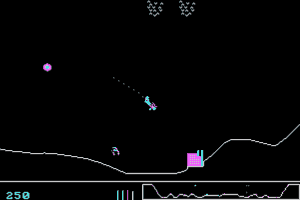
Sopwith - Play Online
DOS - 1984
| Year | 1984 |
|---|---|
| Platform | DOS |
| Released in | Canada |
| Genre | Action |
| Theme | Arcade, Flight, Shooter, World War I |
| Publisher | BMB Compuscience |
| Developer | BMB Compuscience |
| Perspective | Side view |
| Dosbox support | Fully supported on 0.58 |
For small DOS games like Sopwith, you can play online immediately with your browser (Chrome, Firefox, Safari, Internet Explorer...). This feature is still experimental, the game may not work properly. Warning: game save should work, but you should try it early! Also, be careful to select the right game executable in the list below.
Emulator configuration
You can choose which game version you want to use, then you have to choose the right game executable and press PLAY.
To exit fullscreen mode, press escape. Playing experience can be poor due to your browser or your computer. Download Sopwith and launch it with DOSBox to have the best playing experience!
If the game is too fast or too slow, try hitting CTRL-F11 (slower) and CTRL-F12 (faster).
Comments
Cartwright 2026-03-01
From memory (and testing) the keys are:
S - enables Sounds
X or ] - when on the runway, it will make the plane taxi forward
X - makes the plane speed up
, - makes the plane turn in a counter-clockwise direction (pull-up/dive down)
/ - makes the plane turn in a clockwise direction (pull-up/dive down)
. - flips the plane over
Spacebar - fires the machine gun
B - drops a bomb
H - fly back to runway and land to refuel /reload
When using H, make sure you are high enough that auto-pilot won't crash into things and not so high that if you are flying in the wrong direction the auto-pilot doesn't crash into the top of the screen. If you are on the left side of your starting runway, fly back over your runway or your plane may crash into the building or fuel tank while trying to land.
If you fly straight up or at too sharp of an angle, you can stall out. If you fly into the top of the screen, you lose control of the plane and crash into the ground. If you are going to crash from flying to high, you can try pressing H to get the auto-pilot to take control and then retake control.
If you drop a bomb or blow up a building, make sure that you aren't close enough to be hit by shrapnel.
Game ends when you either crash/destroy all 5 planes or you destroy all enemy tanks, buildings, fuel tanks
I highly recommend pressing + about 10 to 15 times to slow down the game to what would have been a normal speed when this game was released.
gbowne1 2024-10-04
Keys are, at least on my PC.
S Starts Engine
or . or , Flips the plane
X takes off?
B Equips bomb
\ or | takes off
Write a comment
Share your tips to run properly Sopwith in your browser: best browser to use, specific DOSBox config... You can drop a comment for anything too!
Similar games
Fellow retro gamers also downloaded these games: