I would add to the fix below, that you have to put the d3dxof.dll file to the install folder. First run the Setup.exe, then wine creates a folder for the game in ~/Program Files(x86). You put the dll into the Rosso Rabbit folder, and add the argument to wine written below. I also recommend to set in the config.txt you set the resolution to 1920x1080 or higher for better qaulities and sharpness.
The "failed to load mesh: gfx\shot.x" error comes from d3dxof, the implementation of which in Wine has a limit on the maximum number of children for a mesh file set at 200. The Shot.X file contains 247 children, so it does not work.
To fix this, acquire a copy of this d3dxof.dll file from an official DirectX redistributable, copy into the game directory, and run with 'WINEDLLOVERRIDES="d3dxof=n,b"'
2
Rossoswife08 Sep. 2025
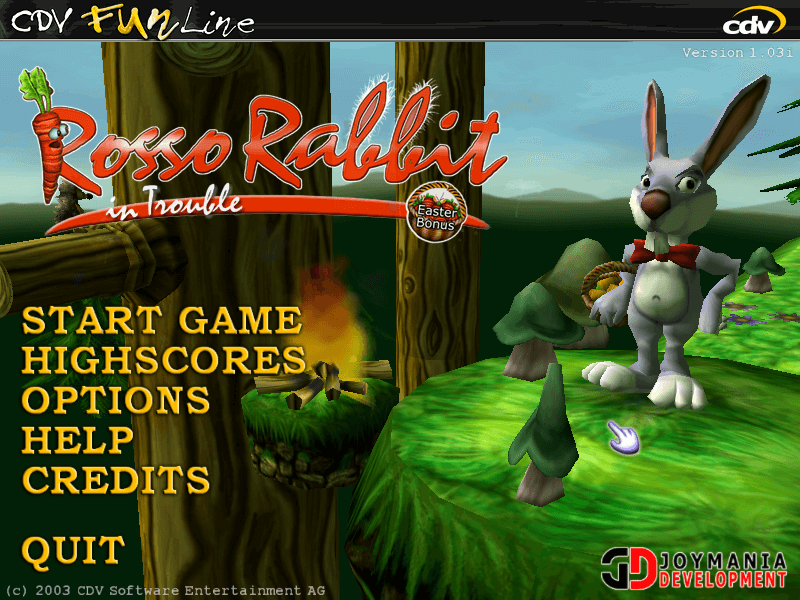
PLEASE FIX THIS GAME - I GET AN ERROR MESSAGE A THE TIME:
failed to load mesh: gfx\shot.x
Pls pls pls fix it i wanna play this childhood game so bad
0
noong25 Aug. 2025
This is sooo much nostalgia for me. I used to play this game when I was 5y old on a computer from 2008. It still works to this day, but it's hard drive sadly doesn't it have nothing on it anymore. So this is a relief
1
Ashish14 Nov. 2024
Thank you uploader. Works perfectly fine.
1
No comment nor review for this game at the moment.





 English





Comments and reviews
I would add to the fix below, that you have to put the d3dxof.dll file to the install folder. First run the Setup.exe, then wine creates a folder for the game in ~/Program Files(x86). You put the dll into the Rosso Rabbit folder, and add the argument to wine written below. I also recommend to set in the config.txt you set the resolution to 1920x1080 or higher for better qaulities and sharpness.
Also there is a some resources that can come handy:
https://www.pcgamingwiki.com/wiki/Rosso_Rabbit_In_Trouble
For future generations (and Rossoswife):
The "failed to load mesh: gfx\shot.x" error comes from d3dxof, the implementation of which in Wine has a limit on the maximum number of children for a mesh file set at 200. The Shot.X file contains 247 children, so it does not work.
To fix this, acquire a copy of this d3dxof.dll file from an official DirectX redistributable, copy into the game directory, and run with 'WINEDLLOVERRIDES="d3dxof=n,b"'
PLEASE FIX THIS GAME - I GET AN ERROR MESSAGE A THE TIME:
failed to load mesh: gfx\shot.x
Pls pls pls fix it i wanna play this childhood game so bad
This is sooo much nostalgia for me. I used to play this game when I was 5y old on a computer from 2008. It still works to this day, but it's hard drive sadly doesn't it have nothing on it anymore. So this is a relief
Thank you uploader. Works perfectly fine.
No comment nor review for this game at the moment.